
Drawing → 3D
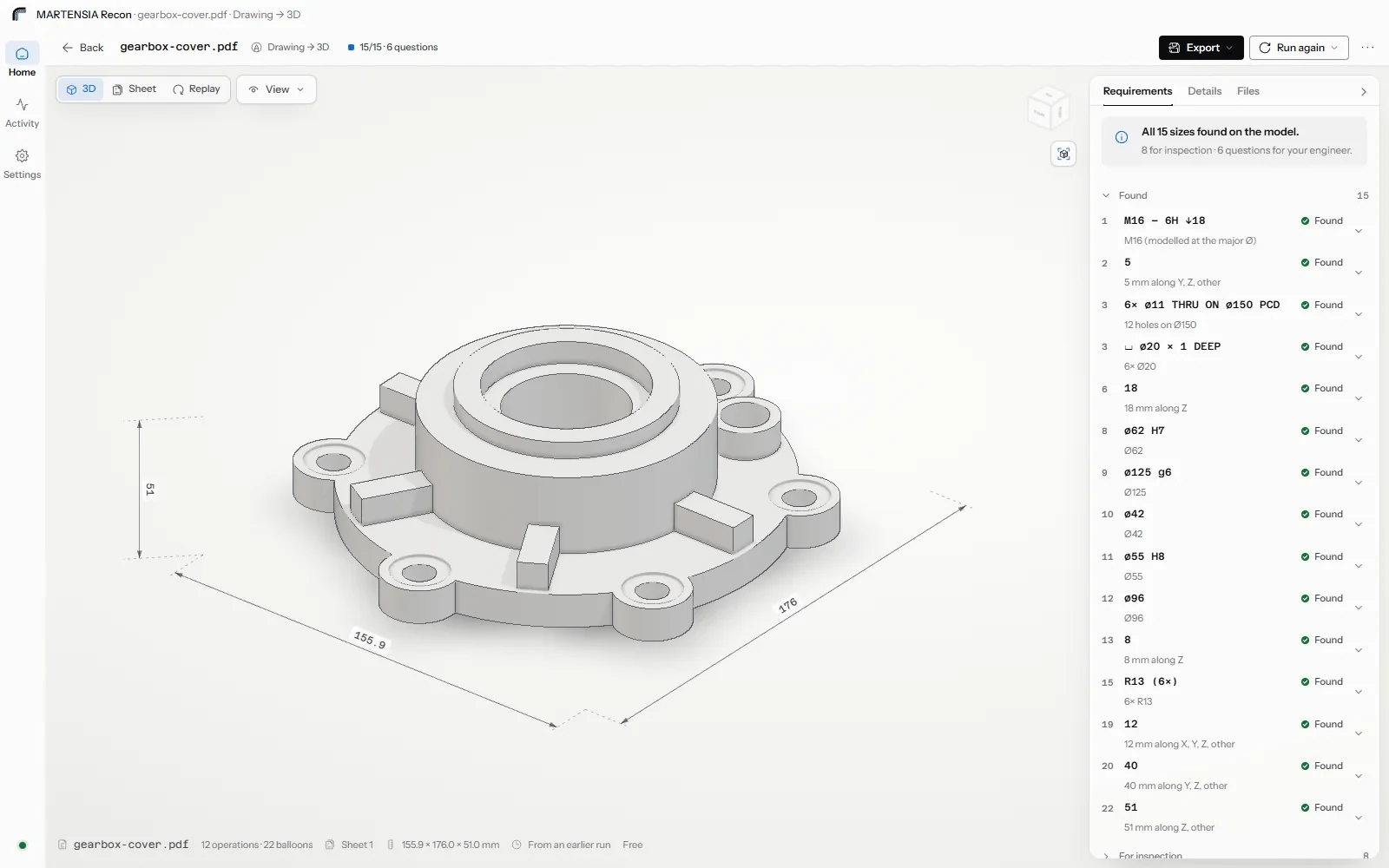
AI readingA checked 3D model built from the drawing, with the build replayed.
In · PDF · DXF · scan · photoOut · STEP · STL · DXF · report
Recon reads the PDF, the scan or the sketch, builds the part and checks every dimension against the sheet. Your engineer signs.
Pick one on the drawing or in the list: 14 found, 4 for your engineer.

The marks are the points Recon recorded, untouched.
Measured by us, November 2026, on open drawings with known answers and on our own synthetic sets; the real drawings come from the open eDOCr2 collection. "Found" means the model has a feature of that size where the drawing points; it is evidence, not a proof that the model is right where the drawing is ambiguous. That is why the open questions go to your engineer.
A parametric model, not a mesh. The script comes with the STEP.
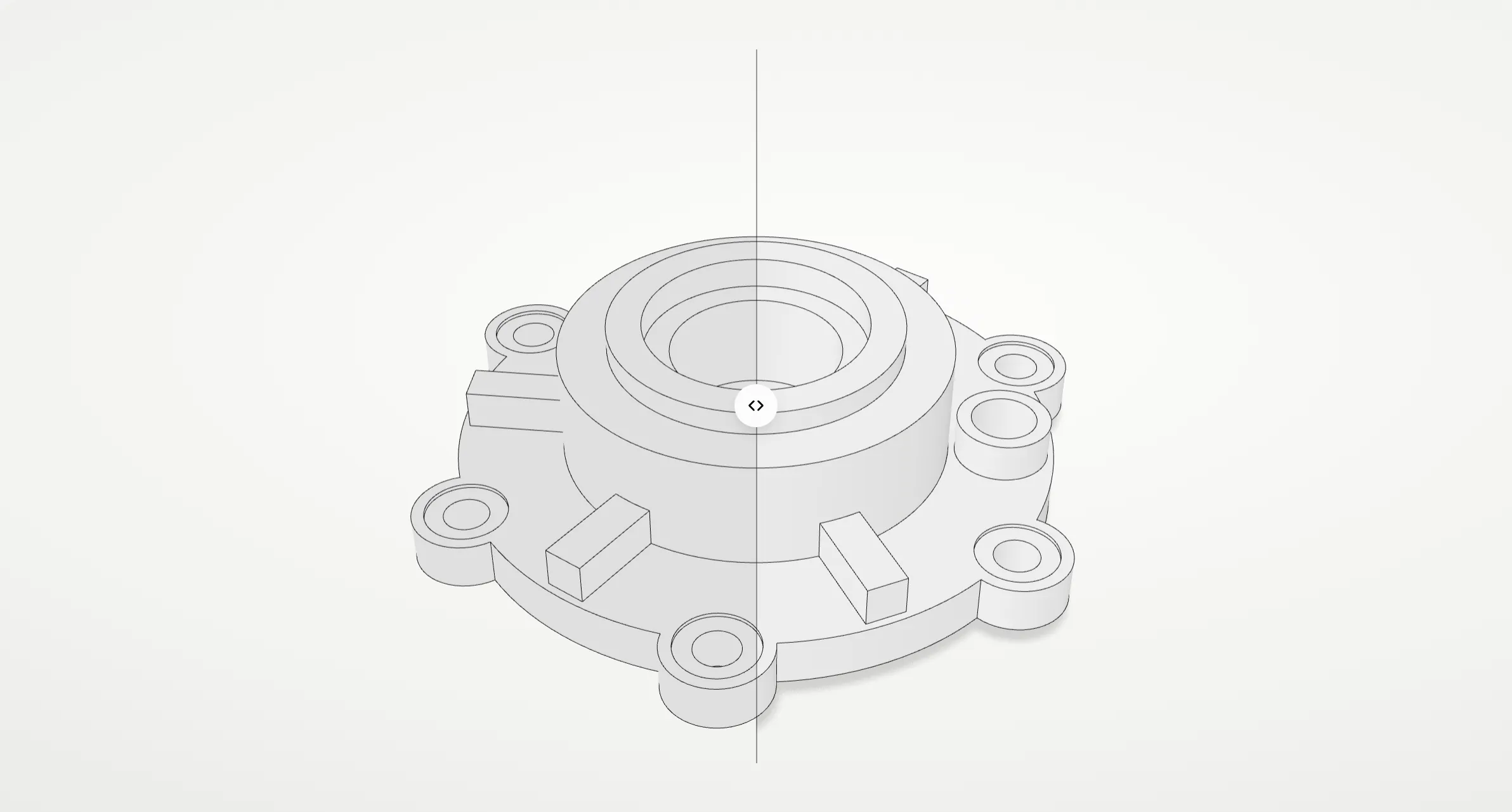
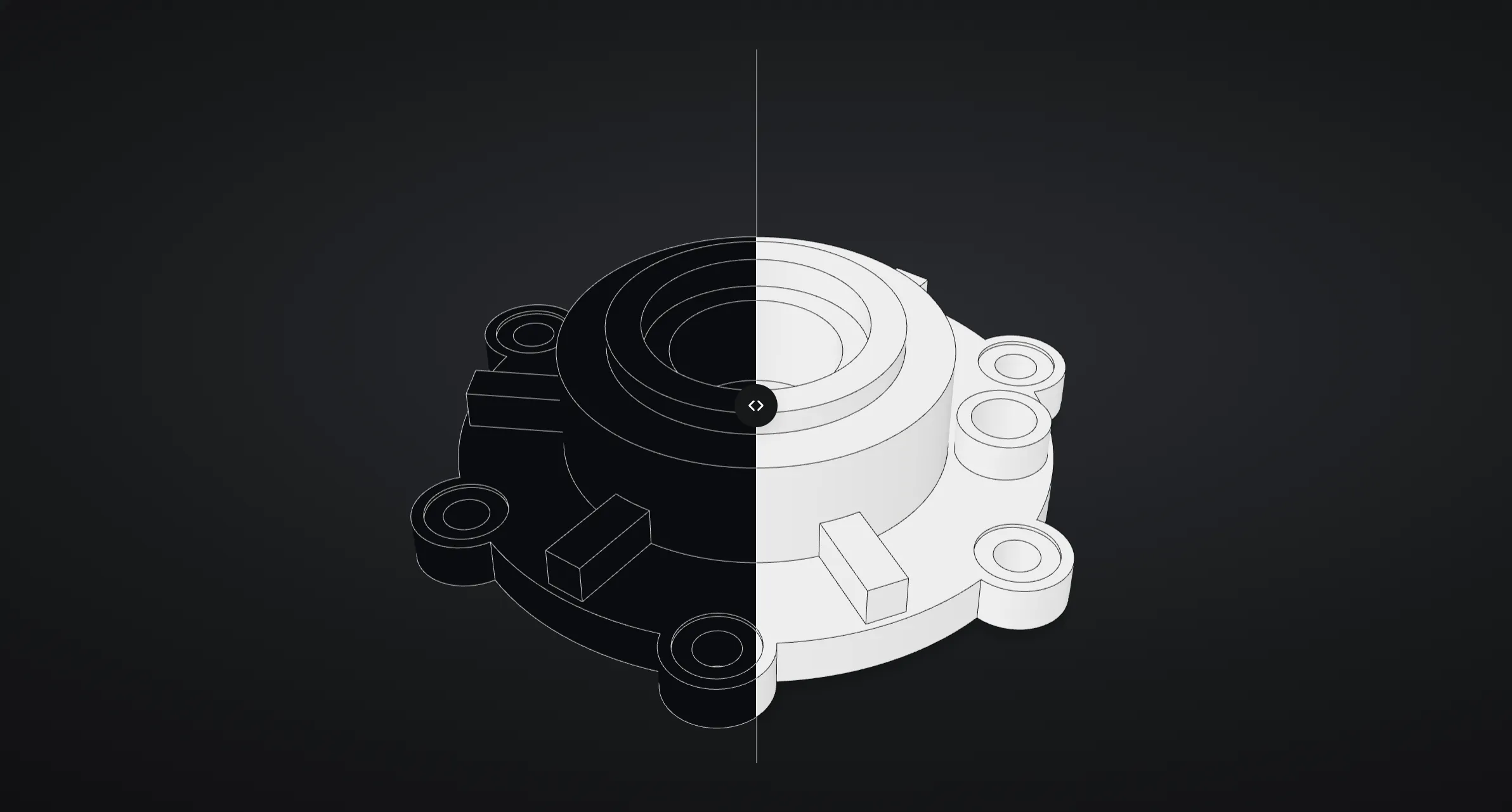
Drag the line: the drawing on one side, the model on the other.
Text layer and image together: every callout, tolerance, thread, bolt circle and note is listed, numbered and ballooned where it sits on the sheet. Millimetres or inches, ISO or ASME.
An agent writes the part as a script on an open CAD kernel, runs it in a sandbox, looks at the result and corrects itself, a few rounds at most. The script ships with the STEP.
A requirement is found when the model has a feature of that size, where the drawing's extension lines lead. What cannot be checked is said so, not guessed.
The model's visible edges are matched to the ink of the drawing's views, so the replay rises out of the sheet and a balloon flies to its feature.
STEP, STL and DXF, the ballooned sheet as PDF, a CSV of requirements with verdicts, and the build script. Change a parameter and rebuild without reading the drawing again.
Every tolerance on the CAD, measured on the scan, with a verdict per ISO 14253-1.
Semantic PMI is read straight from AP242 STEP files. ISO 286 fits and ISO 2768 general tolerances are built in, and can be overridden per feature. Several scans of one part (flipped, turned over) are aligned and merged before use.
No CAD? Recon rebuilds one from the scan: planes, holes, turned profiles, fillets and chamfers, each with its own uncertainty, snapped to the design intent, and says how well the model represents the scan.
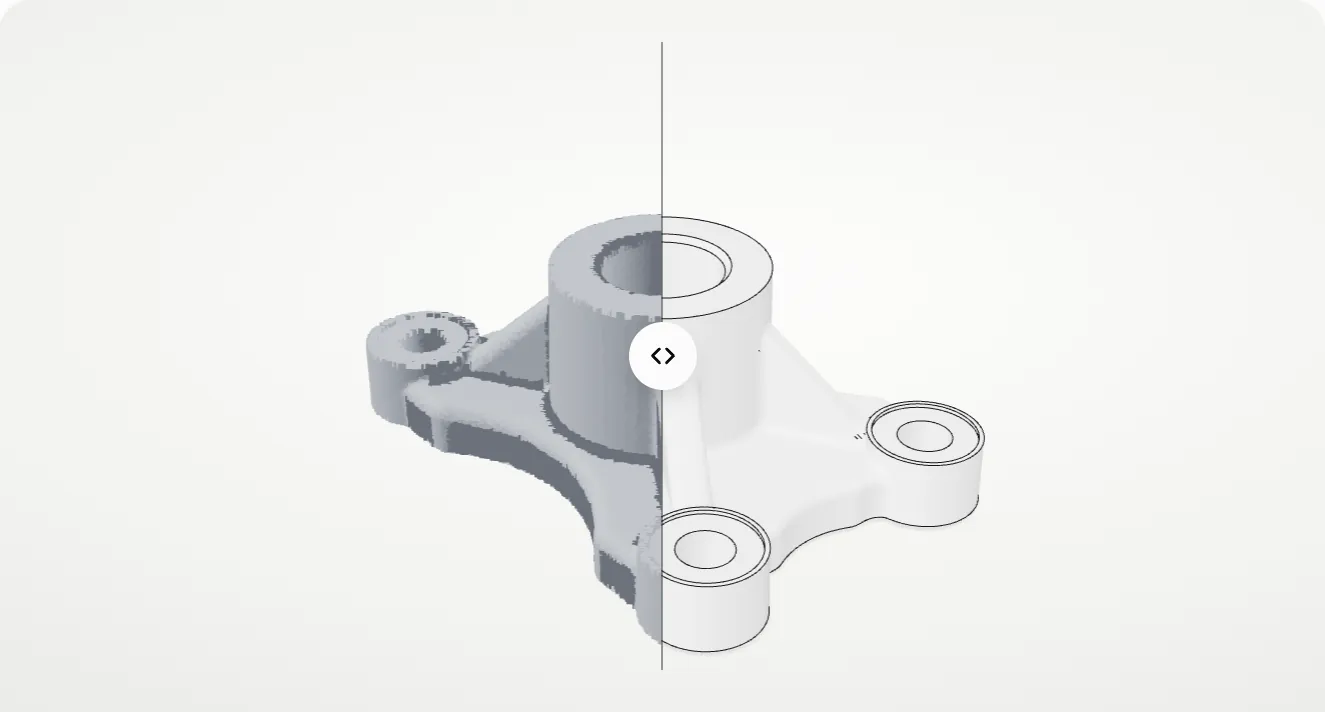
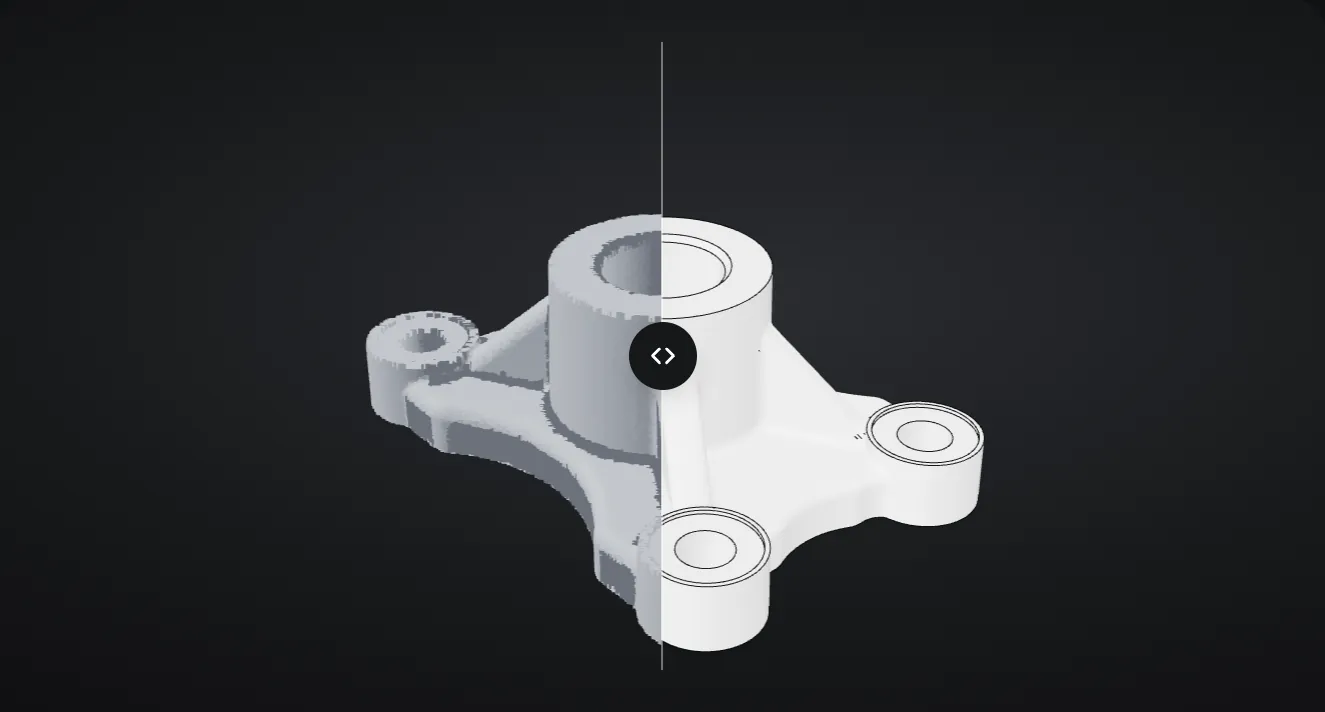
A simulated 120,000-point scan: 65 in, 19 too close, 1 out.
Drop a drawing, a STEP or a scan. Nothing runs until you say so.
A checked 3D model built from the drawing, with the build replayed.

A model made in your CAD checked against its drawing.

A worn part's scan measured against its drawing, with what to restore.

The scan laid on its CAD: deviation map and every tolerance checked.

A solid rebuilt from the scan, every feature measured.

The sheet itself as layered DXF.

Many drawings at once: estimated first, run within a limit, packed as one archive.

For quoting sites, PLM and ERP: drawings, models and scans in as jobs.

Two drawings already read and a scan checked against its CAD.
Recon comes with two drawings already read and a checked scan. No key, no cost.
A folder of drawings goes in; one archive comes out, a folder per part. It never exceeds your budget.
Also over HTTP with signed webhooks, for your quoting site, PLM or ERP.
A desktop app, with no account and no cloud of ours.
Only the drawing's reading leaves, to Anthropic's API (US), and Recon tells you first.
Every reading shows its cost before it runs.
The details are on the security and privacy pages, in plain language.
The RFQ drawing, modelled and checked in minutes.
Scan or drawing to CAD, with the measurement beside each feature.
Spares with no model: rebuild the part and know what to restore.
Check the supplier's STEP against the drawing, dimension by dimension.
PDFs exported from CAD work best, because their text layer is exact. Scans, photos and hand sketches are read from the image. Millimetres and inches, ISO and ASME conventions, limits, zones and bracketed tolerances, threads, counterbores and bolt circles are understood. Today Recon builds single parts, prismatic and turned; assemblies and sheet-metal flat patterns are not built yet.
No. Recon gives you a STEP file and the script that built it; you open the STEP in the CAD you already use, or in our free STEP viewer. The script is plain Python on CadQuery, an open-source kernel on Open CASCADE, so an engineer can read and edit it.
A requirement is found when the model has a feature of that size, and, where the drawing's extension lines lead to a feature, in that place. It is evidence that the model carries the dimension. It cannot prove the model is right where the drawing itself is ambiguous; those cases come back as questions for your engineer instead of a silent guess.
Your engineer. Recon shows what was read, what was built and what was checked, and it keeps the questions it could not answer. It does not accept or release parts, and it is not a substitute for the inspection your quality system requires.
The scan tools and Sheet → DXF run entirely on your machine, offline, and so do the three samples, which were read in advance. Reading a new drawing needs the AI model, so it needs the internet. The engine can also run on a Linux server of yours, behind a token, for teams that want one installation; ask us.
Windows first, because that is where the drawings are. The engine itself runs on Linux for server installations. A macOS build is planned once the Windows build has been through a few pilots.
The drawings may: Spanish and German callouts are read, including the words used for bolt circles. The interface is in English in 0.1; a Spanish interface is planned.
Ten weeks on your own drawings and scans. A founder price in writing, no automatic renewal. Five places.
What happens when you write