Free tools for the files you make parts from.
Kerf checks and fixes a DXF, turns a picture into one, and converts an SVG line for line. The STEP viewer reads a hole's exact size. They run in your browser: no account, and your file never leaves your computer.
 For cutting: Kerf
Three ways in, one clean DXF out.
Each one ends the same way: a DXF with closed outlines and its unit stated, checked before you download it.
Check a DXF
Drop a DXF and get it back fixed: open outlines closed, lines drawn twice removed, the unit stated, text and dimensions taken out. Each fault is shown on the drawing.
Picture to DXF
A PNG or JPG of a logo or a sign becomes closed outlines with straight sides and true arcs, at the width you ask for. Bridges keep the middles of letters in.
SVG to DXF
The SVG's own lines, kept as drawn: circles and round corners as true arcs, at the size the file states, in millimetres. Each colour set to cut or engrave.
From file to cut in three steps.
 01
Drop your file
The page reads it on your own computer. Nothing is uploaded.
 02
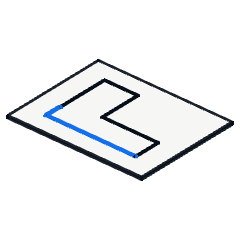
See it and fix it
Every fault is marked on the drawing, with its fix one click away.
 03
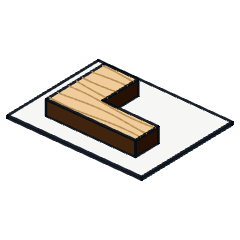
Download the DXF
Closed outlines, true arcs and the unit stated, read back and checked again before you get it.
A STEP viewer that reads the hole's own size.
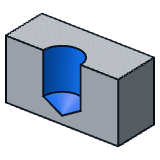
Open a STEP part and click a hole: its diameter and depth come from the file's exact geometry, not from two points picked by hand. Click two faces for the distance between them.
Before you drop a file.
Is it really free?
Yes. There is no account, no trial and no limit on how many files you check or convert.
Where does my file go?
Nowhere. The page reads it on your own computer and nothing is sent to a server. Once the page has loaded, it keeps working with the network off.
Which programs open the DXF?
Kerf writes a plain DXF in millimetres, with closed outlines and true arcs. We have read its files back in LightBurn and in QCAD.
How exact is the STEP viewer?
It reads each face as the surface the file holds, so a hole's diameter is its cylinder's own, to the thousandth of a millimetre. On our test parts it gave the same sizes as a desktop CAD kernel.
What does it not check?
It checks the drawing: its lines, its size and its unit. It does not know your machine, your material or your settings, so the test cut is still yours to make.
Does it keep my files?
No. If you save a set-up (a machine, its limits, your prices), it stays in your own browser and nowhere else, and you can delete it there.
Need something these tools do not do?
We build software for CAD, cutting and 3D to measure. Tell us what your files need.
What happens when you write
- 1Someone who builds the software replies, within one business day.
- 2A conversation about your process, by phone or video.
- 3A short written scope: what we would do, how long it takes and what it costs.